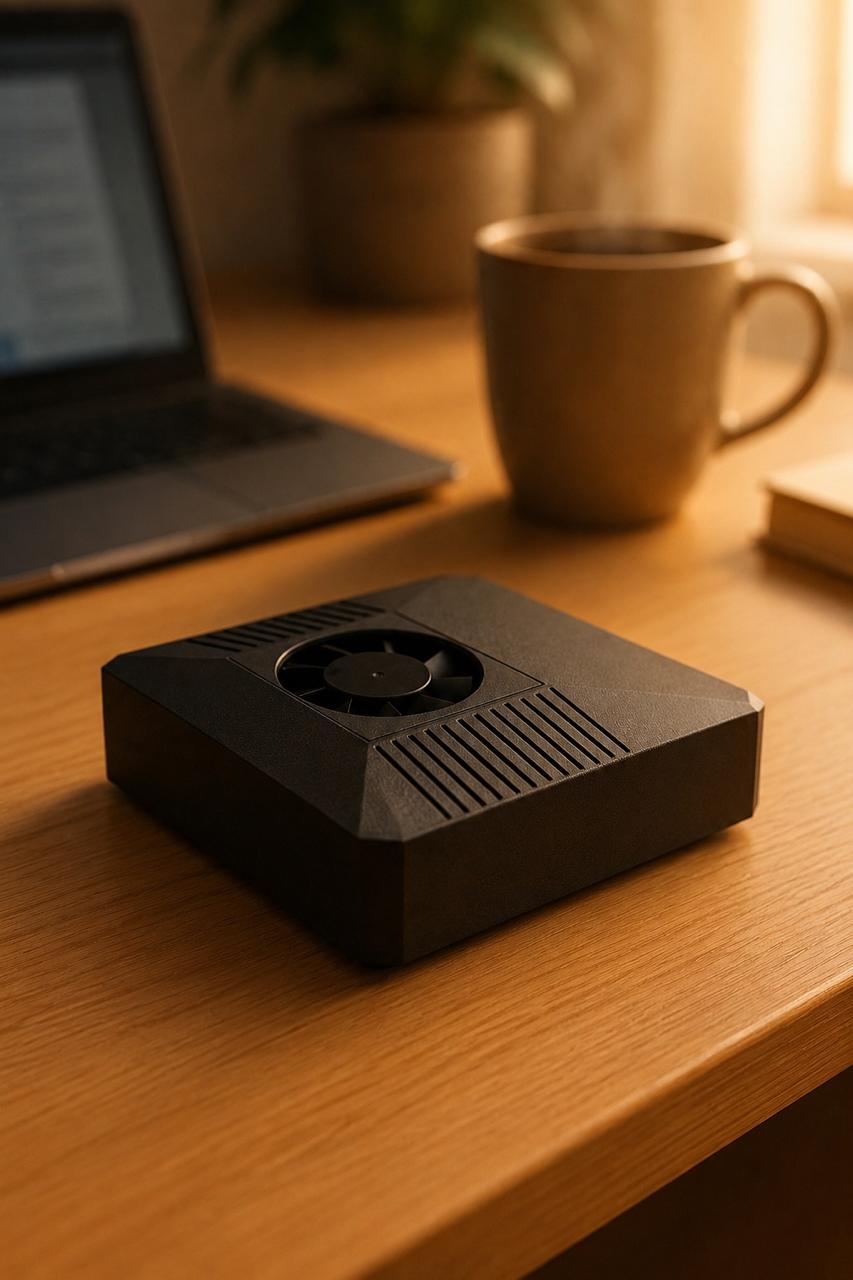
If you want to run your own AI agent on hardware you control, you're in the right place. This guide walks you through how to set up OpenClaw from scratch: the prerequisites, the install, your first configuration, connecting a channel, and running your first task. You don't need to be a Linux expert. You just need a little patience and a willingness to follow the steps in order. By the end, you'll have a working local-first AI agent that you can message and put to work.
OpenClaw is an open-source agent runtime. It does the heavy lifting of connecting a language model to your tools, your messaging apps, and your tasks. Your job here is simply to be the person who gets it running and points it at something useful. Think of this guide as your map, and OpenClaw as the engine.
What You Need Before You Start
Before learning how to set up OpenClaw, get your prerequisites in order. Setup goes much smoother when these are ready up front:
- A capable machine. OpenClaw runs well on a small edge device or a regular computer. For local inference you want a GPU or an accelerated edge board with enough memory. If you plan to lean on cloud models instead, a modest CPU box is fine.
- A 64-bit Linux environment. Most installs target Linux. A recent Ubuntu or Debian release is a safe choice.
- Network access and basic terminal comfort. You'll run a handful of commands and edit a config file.
- An optional cloud model key. OpenClaw is local-first with optional cloud, so you can run a local model for privacy and offline use, or plug in a hosted model like Claude when you want extra reasoning power. Having a key ready lets you try both.
If you'd rather skip the hardware decision entirely, this is exactly where a ClawBox saves you time. It ships with OpenClaw pre-installed, so you plug in, scan a code, and go instead of building the stack yourself. More on that below.
Step 1: Install OpenClaw
With prerequisites ready, the first real step in how to set up OpenClaw is installation. The general flow looks like this:
- Get the runtime. Pull the OpenClaw package or repository onto your machine following the official install instructions. There's usually a single bootstrap command or a clone-and-run sequence.
- Let it resolve dependencies. The installer brings down the runtime and its supporting components. On a fresh machine this can take a few minutes, so let it finish without interrupting.
- Verify it's there. Once install completes, confirm the runtime responds. Running its version or status command is the quickest sanity check that everything landed correctly.
If a step fails, the most common causes are an out-of-date system or a missing base dependency. Update your packages and try again before assuming something deeper is wrong. The official docs are the canonical reference if you hit a snag.
Step 2: Create Your First Configuration
OpenClaw needs to know two things to be useful: which model to think with, and who it's allowed to talk to. That lives in your configuration.
- Choose your model. Decide whether your agent reasons locally, via cloud, or both. Local-first keeps data on your machine; an optional cloud model gives you more horsepower for complex tasks. You can set a primary and a fallback so the agent stays responsive.
- Set your identity and defaults. Give the agent a name, a working directory, and any baseline behavior you want. Keep this minimal at first. You can layer in more later once you understand how it behaves.
- Store credentials safely. If you're using a cloud model, your API key goes into the configuration or an environment file, not into a public place. Treat it like a password.
Save the file, restart the runtime so it picks up your changes, and you have a configured agent ready to connect to the outside world.
Step 3: Connect a Channel
An agent you can't message isn't much use yet. The next step in how to set up OpenClaw is connecting a channel so you can actually talk to it. A channel is just the surface where you and the agent exchange messages, such as a chat app or a local interface.
- Pick one channel to start. Don't wire up everything at once. Choose the single place you'll naturally message from.
- Authorize the connection. This usually means pasting a token or scanning a pairing code so the channel and your agent trust each other. Follow the prompts the runtime gives you.
- Send a test message. Once linked, say hello. A reply confirms the loop is closed: your message reaches the agent, the model thinks, and the answer comes back to you.
If the agent doesn't respond, check that the runtime is still running and that your channel credential is valid. Most first-time connection issues come down to a typo in a token or a service that needs a restart.
Step 4: Run Your First Task
Now for the satisfying part. Ask your agent to do something real. Start small and concrete so you can clearly see the result.
- Try a self-contained request first, like summarizing a piece of text or answering a question. This confirms the model is reasoning correctly.
- Then try a task that touches your machine or tools, like reading a file or checking a status. This confirms the agent can act, not just chat.
- Watch how it works, then expand. Each successful task teaches you what to ask for next. Over time you'll hand off bigger jobs with confidence.
That's the whole arc: install, configure, connect, and run. Everything else is refinement.
The Shortcut: Skip Straight to Step 4
Here's the honest version. Steps 1 through 3 are very doable, but they take time, and hardware choices trip up a lot of beginners. That's the problem a ClawBox is built to remove.
ClawBox is a small dedicated device that ships with OpenClaw already installed and configured. Inside is an NVIDIA Jetson Orin Nano Super 8GB with 512GB NVMe storage, delivering around 67 TOPS of AI performance while drawing only about 20W. It's local-first with optional cloud, so you can run models privately on the box or reach out to a hosted model like Claude when you want more reasoning. You plug it in, scan a code, and you're effectively at Step 4. It's a one-time €549, and there's no separate machine to spec or maintain.
You can compare it against building your own rig on the best hardware and local AI hardware guides if you want to weigh the trade-offs yourself.
Frequently Asked Questions
Do I need to be a programmer to set up OpenClaw? No. The setup is mostly running a few commands and editing one configuration file. If you can follow instructions in a terminal, you can get OpenClaw running. The hardest part is usually choosing hardware, which a pre-built box removes entirely.
Does OpenClaw require the cloud to work? No. OpenClaw is local-first with optional cloud. You can run a model directly on your own hardware for privacy and offline use, and only reach out to a hosted model like Claude when a task benefits from extra reasoning. The choice stays yours.
How long does setup take? On your own hardware, plan for an hour or two including downloads, configuration, and your first test. On a device that ships with OpenClaw pre-installed, you're looking at minutes from unboxing to your first task.
Ready to Get Started?
Setting up OpenClaw is well within reach, whether you build it yourself or start from a box that's already configured. If you'd rather skip the setup and go straight to running tasks, a ClawBox gives you OpenClaw pre-installed on capable, low-power hardware for a one-time €549. Explore the device and the docs at clawbox.tech and put your own local-first AI agent to work today.