OpenClaw Hardware
Quel est le meilleur matériel pour OpenClaw ?
Comparez ClawBox, Raspberry Pi, Mac Mini et les serveurs domestiques. Trouvez l'équilibre parfait entre prix, performances et facilité d'utilisation.
This is the main comparison page for people searching for OpenClaw hardware. Compare ClawBox, Mac Mini, Raspberry Pi, and home server setups to decide which OpenClaw hardware option makes the most sense for 24/7 use.
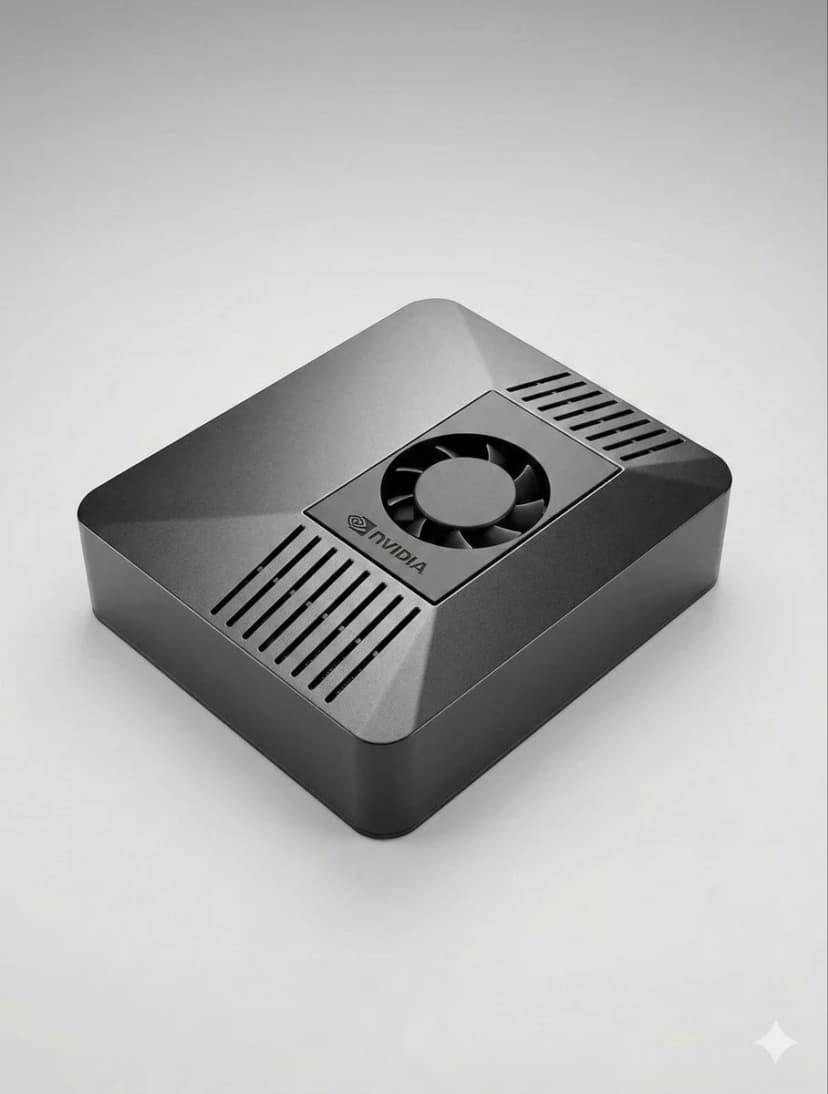
What is the best hardware for OpenClaw?
If you want dedicated OpenClaw hardware that runs 24/7, handles local AI well, and sets up in minutes, ClawBox is the best OpenClaw hardware. If you want a DIY route, compare Mac Mini, Raspberry Pi, and home server tradeoffs before you buy.
OpenClaw hardware requirements
See the minimum and recommended specs for running OpenClaw, local models, voice, and automation.
OpenClaw setup guide
Check the 5-minute setup path once you know which OpenClaw hardware route makes sense for you.
ClawBox vs Mac Mini
Compare the most common DIY alternative to dedicated OpenClaw hardware before you commit.
OpenClaw on Raspberry Pi
See when Raspberry Pi is good enough, where it struggles, and why Jetson-class hardware feels better for daily use.
Local AI hardware guide
See why always-on dedicated AI hardware is easier to trust than a laptop, cloud VPS, or shared desktop.
OpenClaw setup guide
Start here if you want a simple step-by-step explanation before diving into channels, models, and automation.
Qu'est-ce qui compte le plus ?
Facteurs clés à prendre en compte lors du choix du matériel IA
Performance IA
TOPS (Trillion Operations Per Second) détermine la vitesse à laquelle les modèles d'IA s'exécutent localement.
Coût total
Tenez compte du coût initial plus l'électricité sur 4 ans de fonctionnement 24h/24 et 7j/7.
Consommation d'énergie
Moins de watts = moins de factures d'électricité et moins de chaleur. Critique pour les appareils toujours allumés.
Prêt à l'emploi
Préconfiguré contre des heures de configuration manuelle. Le temps, c'est de l'argent.
Confidentialité des données
Le matériel local conserve vos données sur votre réseau. Cloud signifie le serveur de quelqu'un d'autre.
Niveau de bruit
Un fonctionnement sans ventilateur ou quasi silencieux est important pour les appareils 24h/24 et 7j/7 dans les espaces de vie.
Best OpenClaw hardware options
If you are comparing OpenClaw hardware, focus on setup time, power draw, local AI performance, and whether the device is realistic to keep running all day.
ClawBox
NVIDIA Jetson Orin NanoPerformances
67 TOPS
Alimentation
7-25W
Avantages
- + Préconfiguré - fonctionne en 5 minutes
- + 67 TOPS Accélération de l'IA
- + Consommation d'énergie de 15 W
- + Fonctionnement quasi silencieux
- + Bi-bande WiFi + Bluetooth 5.0
Inconvénients
- − Coût initial plus élevé que Pi
Le meilleur dans l'ensemble. Spécialement conçu pour OpenClaw avec une véritable accélération de l'IA.
Raspberry Pi 5
Option bricolagePerformances
~2 TOPS
Alimentation
5-15W
Avantages
- + Coût le plus bas
- + Faible consommation (5-8W)
- + Grande communauté
Inconvénients
- − Pas d'accélération de l'IA
- − 1 à 3 heures d'installation
- − Difficultés d'automatisation du navigateur
Option budgétaire, mais vous payez avec le temps et les performances.
Mac Mini M4
Pomme SiliciumPerformances
38 TOPS
Alimentation
~22W
Avantages
- + 38 TOPS Moteur neuronal
- + Version premium
- + Silencieux
Inconvénients
- − 699 € + prix
- − 2 à 4 heures d'installation
- − Exagération pour OpenClaw
Idéal si vous en avez déjà un. N'achetez pas uniquement pour OpenClaw.
Serveur domestique avec GPU
Puissance maximalePerformances
100+ TOPS
Alimentation
200-500W
Avantages
- + Exécutez plus de 70 B de modèles localement
- + Complet NVIDIA CUDA
- + Flexibilité maximale
Inconvénients
- − Consommation de puissance de 200 à 500 W
- − 800 € + coût
- − Bruyant
Uniquement pour exécuter des LLM locaux massifs. Exagéré pour la plupart des utilisateurs.
Comparaison rapide
| Matériel | Prix | Puissance de l'IA | Watts | Installation |
|---|---|---|---|---|
| 🦞 ClawBox | €549 | 67 TOPS | 7-25W | Branchez et jouez |
| 🍓 Raspberry Pi 5 | ~€150 | ~2 TOPS | 5-15W | configuration des heures |
| 🍎 Mac Mini M4 | €699+ | 38 TOPS | ~22W | Bricolage requis |
| 🖥️ Home Server | €800+ | 100+ TOPS | 200-500W | configuration des heures |
Related OpenClaw hardware guides
Use these supporting guides to explore OpenClaw hardware requirements, setup steps, and dedicated-device recommendations without splitting the main ranking target.
Frequently Asked Questions
What is the best hardware for running OpenClaw?▼
Can I run OpenClaw on a Raspberry Pi?▼
Is a Mac Mini better than ClawBox for AI?▼
How much does it cost to run AI hardware 24/7?▼
What hardware do I need to run AI models locally?▼
Why is ClawBox the best OpenClaw hardware for 24/7 use?▼
Should I buy dedicated OpenClaw hardware or install it on my own computer?▼
What is the best computer, PC, or laptop for OpenClaw?▼
The Best Computer, PC, or Machine for OpenClaw
Whether you call it the best computer for OpenClaw, the best PC for OpenClaw, the best machine, the best device, or the best system to run OpenClaw — the answer is the same: a dedicated, low-power box with a real AI accelerator that's built to stay on 24/7.
Best computer for OpenClaw
A general desktop works, but burns power and needs full setup. ClawBox is purpose-built: 67 TOPS, 15W, OpenClaw pre-installed.
Best PC / machine for OpenClaw
No tower, no 300W draw, no driver wrangling. A dedicated AI machine that runs Llama locally and your automations 24/7.
Best system / device to run OpenClaw
The best system to run OpenClaw is one you own, that runs from your real IP and keeps your data home — for €549, once.