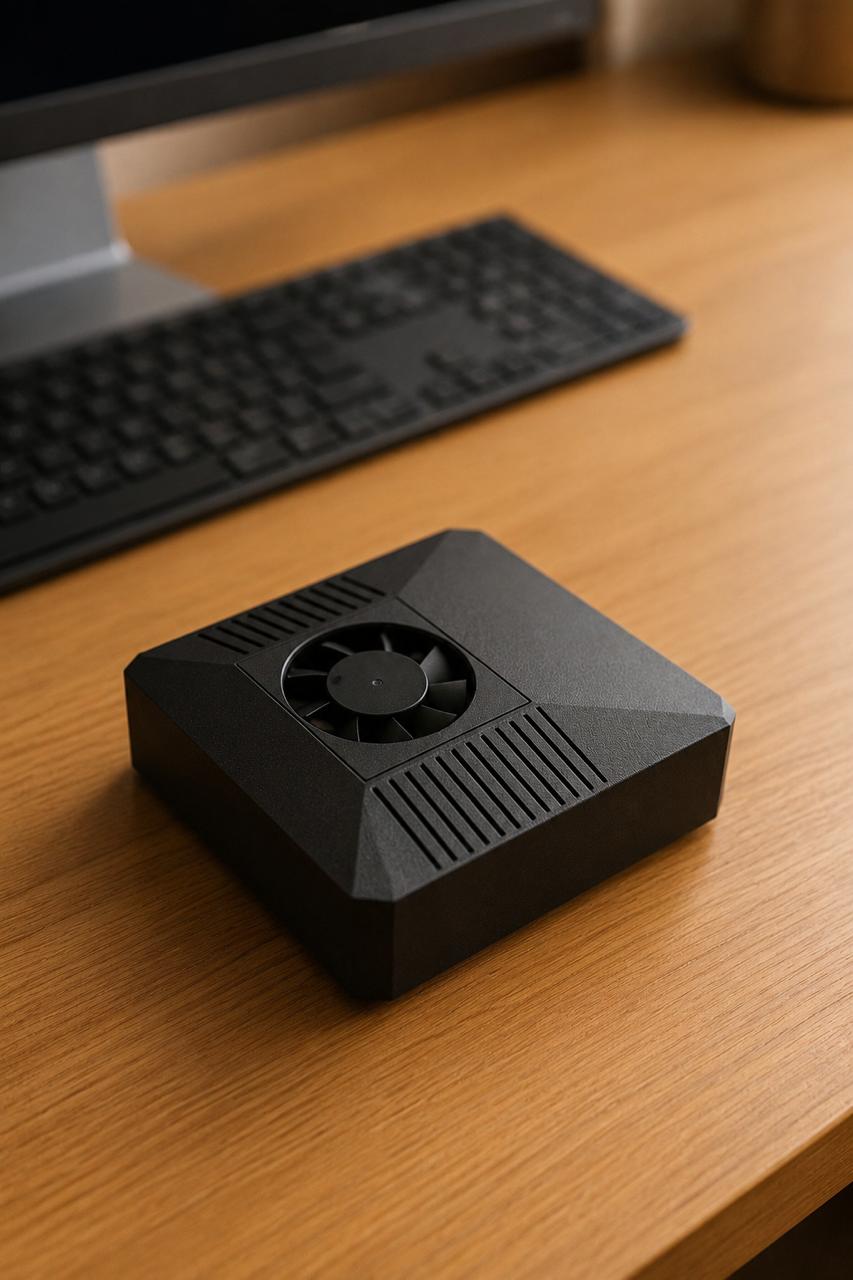
If you've been wondering what is OpenClaw, here's the short answer: OpenClaw is an open-source AI assistant you run yourself. Instead of routing everything through a remote service you don't control, OpenClaw lets the assistant live on your own hardware, where it can read your files, automate tasks, and talk to other tools — while you decide exactly when, and whether, anything leaves your machine. It's local-first by design, with optional cloud providers (like Claude) available when you want extra horsepower.
This guide breaks down what OpenClaw actually is, how it works, who it's for, and how you can get it running without becoming a systems administrator.
What Is OpenClaw, Really?
At its core, OpenClaw is software that turns a capable AI model into a practical assistant. It can hold a conversation, but it can also do things: organize documents, run scripts, manage your smart-home devices, summarize what's in your inbox, or kick off multi-step workflows on your behalf.
The "open-source" part matters. Because the code is open, you can inspect how it works, see how your data flows, and trust that there are no hidden surprises. That transparency is the foundation of why people choose to run it themselves rather than handing everything to a closed service.
When people ask what is OpenClaw compared to a typical chatbot, the clearest distinction is ownership. A standard cloud assistant lives on someone else's servers. OpenClaw runs on hardware you control — your laptop, a server, or a dedicated box at home — which puts you in the driver's seat. You're the hero of the workflow; OpenClaw is the guide that helps you get there.
How OpenClaw Works: Local-First With Optional Cloud
OpenClaw is built around a simple principle: keep things local by default, and reach out to the cloud only when you choose to.
In practice, that means the assistant can run models directly on your own machine, so your prompts, files, and context stay with you. When a task calls for a larger model or a specialized capability, you can connect an optional cloud provider such as Claude. You decide which provider to use, for which task, and you can switch it off entirely.
This "local-first with optional cloud" approach gives you the best of both worlds: privacy and control for everyday work, plus the option to tap into bigger models when a job genuinely needs them. Nothing is forced. The default leans toward keeping your data close, and the cloud is a tool you opt into rather than a requirement.
If you want to dig into how this is set up, the ClawBox docs walk through configuration step by step.
What Can You Actually Do With OpenClaw?
The honest answer is that OpenClaw is a general-purpose assistant, so what you do with it depends on your goals. Common uses include:
- Personal knowledge work — summarizing documents, drafting emails, searching across your own files, and answering questions grounded in your data.
- Automation — running repeatable tasks and multi-step workflows so you don't have to do them by hand.
- Home and device control — connecting to smart-home tools and other services to act on your behalf.
- Development and tinkering — because it's open-source, builders can extend it, add integrations, and shape it to fit their setup.
The point isn't a fixed feature list. It's that you have a capable assistant running on hardware you own, ready to be pointed at whatever matters to you.
Why People Run OpenClaw Themselves
There are a few practical reasons self-hosting appeals to people asking what is OpenClaw and whether it's worth running locally.
Privacy and control. When the assistant runs on your own hardware, you decide what stays local and what (if anything) goes to a cloud provider. For sensitive work, that control is the whole point. If privacy is your main driver, the private AI overview explains the local-first model in more detail.
Predictable ownership. You own the hardware and the software. Your setup doesn't disappear if a vendor changes course, and you're not locked into a single provider's roadmap.
Transparency. Open-source means you (or someone you trust) can look under the hood. There's no mystery about how the system behaves.
Flexibility. You can run it lean on local models or scale up by plugging in a cloud provider for heavier tasks — and change your mind whenever you like.
The Easiest Way to Run OpenClaw: ClawBox
Running an AI assistant on your own hardware can mean wrestling with drivers, model installs, and configuration. If that's not how you want to spend your weekend, this is where a ready-made box helps.
ClawBox is a plug-and-play AI hardware box with OpenClaw pre-installed. It's built on the NVIDIA Jetson Orin Nano Super (8GB) with a 512GB NVMe drive, delivering 67 TOPS of AI performance at roughly 20W of power draw — small, quiet, and energy-light enough to leave running at home. It's a one-time purchase at €549, and it ships ready to go: power it on, and your local-first assistant is there waiting, with optional cloud providers available when you want them.
The appeal is simplicity. You skip the setup grind and get straight to using OpenClaw. If you're weighing the hardware side, the local AI hardware guide and the OpenClaw on Jetson page cover what's under the hood and why this configuration fits the job.
Frequently Asked Questions
Is OpenClaw free? OpenClaw itself is open-source software, so the project is openly available. Running it requires hardware capable of the work you want to do, and if you choose to use an optional cloud provider like Claude, that provider may have its own usage costs. The local-first approach means you can do a great deal without sending anything to the cloud.
Do I need to be technical to use OpenClaw? Not necessarily. The software can be installed and configured by people comfortable with setup, but a pre-configured option like ClawBox removes that barrier — OpenClaw comes pre-installed, so you can start using it right away.
Does OpenClaw keep my data private? By design, OpenClaw is local-first, meaning it runs on your own hardware and keeps data local by default. You choose whether to connect an optional cloud provider for specific tasks, so you stay in control of what leaves your machine.
Get Started With OpenClaw
Now that you have a plain-English answer to what is OpenClaw — an open-source, local-first AI assistant you actually own — the next step is deciding how to run it. If you want the simplest path, a ready-made box gets you there without the setup headache.
Explore ClawBox to see how a plug-and-play box with OpenClaw pre-installed can put a private, capable AI assistant on your desk today.