Every time you use a cloud AI tool, your words travel somewhere. Usually to a data centre in another country, processed by servers you have no access to, stored under terms you may have skimmed once and forgotten. For casual searches that is fine. For anything sensitive — your business data, client information, personal notes, internal documents — it is worth asking: where does this actually go?
Private AI offers a different answer. Instead of sending your data out, you keep the AI on hardware you control. This guide explains what private AI actually means, what happens to your data in different setups, and how to keep it where you want it.
What Happens to Your Data With Cloud AI
When you send a prompt to a cloud AI service, several things happen:
- Your text is transmitted over the internet to the provider's servers
- It is processed by their model infrastructure
- The response is sent back to you
- Depending on the provider's policies, your prompt may be stored, reviewed, or used for model training
Most major providers have policies that limit training on paid-tier data, and enterprise plans often include stronger guarantees. But "we won't train on your data" is not the same as "your data never leaves your device." It still travels, it still lands on someone else's infrastructure, and it is still subject to that provider's security posture, legal jurisdiction, and data retention practices.
For most people, most of the time, this is an acceptable trade-off. But for business data, regulated industries, confidential communications, or simply a preference for privacy, it matters.
What Private AI Actually Means
Private AI means the model runs on hardware you own or control, and your data does not leave that device unless you choose to send it somewhere.
There are a few levels:
Fully local The model runs on your machine. Nothing leaves. Your prompts, your documents, your responses — all processed locally. No internet required after the initial setup.
Self-hosted on your own server You run the model on a machine you control (a home server, a NAS, a dedicated AI box). Data stays within your network. Family members or team members can access it, but it does not reach external servers.
Private cloud (dedicated instance) You rent compute from a cloud provider and run the model yourself on an isolated instance. Data goes to that provider's infrastructure, but you control access and the model is not shared with other tenants.
Hybrid You run a local model for most tasks, but optionally route to a cloud provider (like Claude or GPT) for requests that need a more capable model. You choose which requests leave your device.
The most privacy-preserving option is fully local. The hybrid approach is more practical for most people — it gives you privacy by default with the option to escalate.
Where Your Data Actually Stays With Local AI
When you run a private AI setup locally:
- Your prompts never leave your device
- Your documents are processed on-device
- No third party sees what you are working on
- There are no logs on an external server
- No vendor can change their data policy in a way that affects your data
This is the meaningful difference. It is not about distrust of any particular company — it is about the architecture. A local model physically cannot send your data to a cloud provider because it has no connection to one.
The trade-off is capability and convenience. Local models at the 7B–13B parameter range are capable for most everyday tasks — writing, summarising, answering questions from documents, running automations. For the most complex reasoning tasks, a frontier cloud model still has an edge. A hybrid setup handles this gracefully: local by default, cloud when you explicitly want it.
What to Look for in a Private AI Setup
If you want to run private AI, here is what matters:
Local inference, not just a private interface Some "private" AI tools are just a front-end to a cloud model with a privacy policy. Real private AI means the model weights run on your hardware. Look for setups using Ollama, llama.cpp, or similar local inference engines.
On-device storage Models are large files (4–10GB for typical sizes). You need enough local storage to keep the models you use. 256–512GB NVMe is comfortable.
Enough compute for usable speed Speed matters for a tool you actually use. A setup that takes 30 seconds to respond to a simple question gets abandoned quickly. Dedicated AI hardware with sufficient TOPS (tera-operations per second) makes the difference between a toy and a tool.
A clear privacy boundary for any cloud features If your setup includes optional cloud routing, it should be explicit — you should know exactly which requests leave your device and which do not.
A Practical Example: What Stays Local on ClawBox
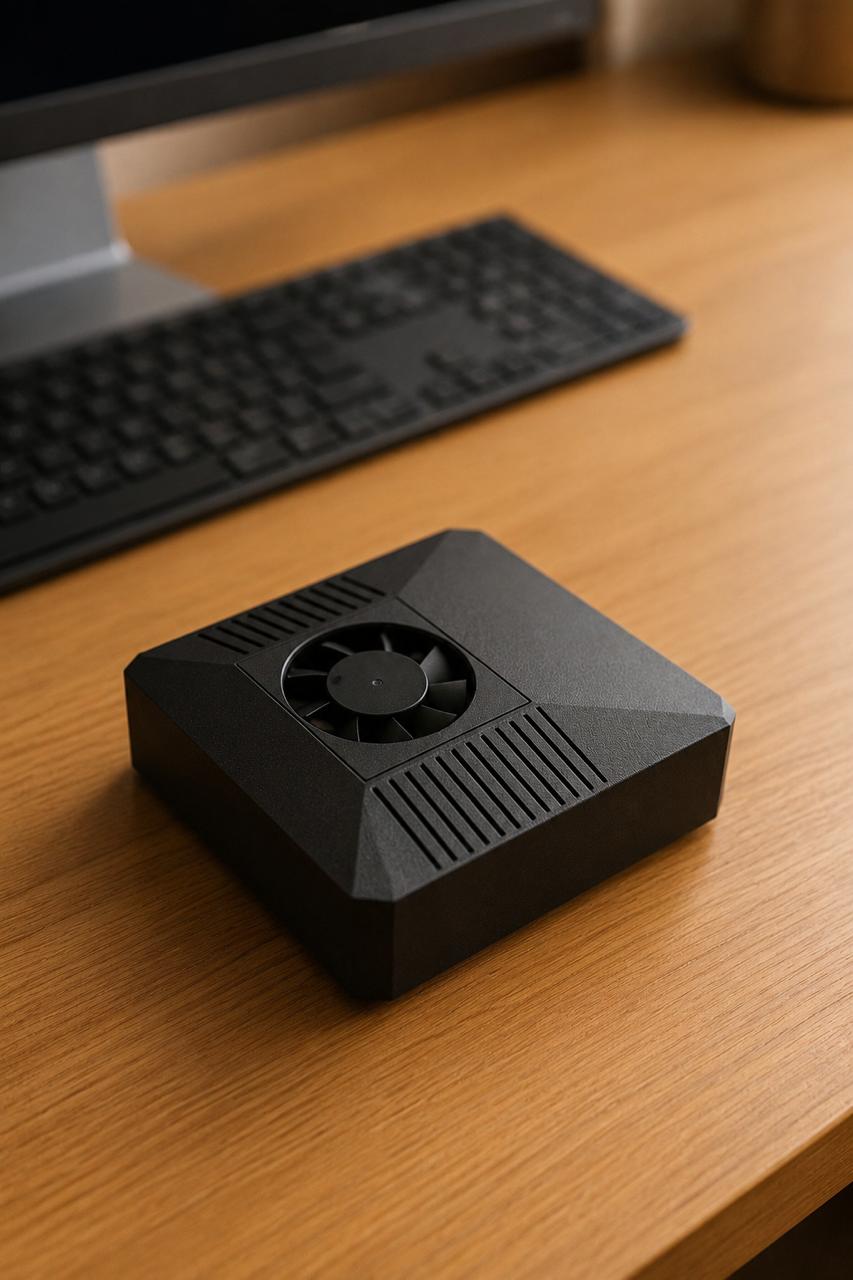
ClawBox is a pre-configured AI hardware box built around the NVIDIA Jetson Orin Nano Super 8GB with 512GB NVMe and OpenClaw pre-installed. It is one example of dedicated local AI hardware.
By default, when you use ClawBox:
- All local model inference happens on the Jetson — on your desk, on your network
- Documents you process stay on the device
- Conversations with local models never leave your home or office
- You can optionally connect a cloud provider (like Anthropic Claude) for specific requests — but that is an explicit choice you make per-request or per-task, not the default
The point is not that ClawBox is magic — it is that local-first hardware makes the privacy boundary concrete and physical. Your data is on that box on your desk. It is not in a cloud somewhere.
Common Questions About Private AI
Is local AI GDPR-compliant? Running AI locally is generally more GDPR-friendly than cloud AI because data does not leave your device or jurisdiction. But GDPR compliance depends on many factors — if you process other people's personal data, consult your legal team.
Can I use private AI for business data? Yes. Many businesses use local AI specifically because they handle confidential client data or operate in regulated industries (legal, medical, financial). A local model does not transmit anything externally.
What about model updates? Does the model "phone home"? Model weights are files you download once. Running inference does not require an internet connection. The model does not communicate with its creators after you have downloaded it.
Is private AI as capable as ChatGPT? For many tasks, yes. For the most complex reasoning, frontier cloud models still lead. A hybrid local-plus-cloud setup lets you choose: private by default, cloud when you need the extra capability.
What if I want to keep everything local but still use a powerful model? Larger quantised models (30B–70B parameters) can run locally on high-end hardware. For most users, a 7B–13B model handles the majority of daily tasks without needing to go larger.
Private AI is not complicated in concept: it means the model runs where you can see it, and your data stays where you put it. Getting there practically requires the right hardware and the right software configured for local-first operation.
Whether you build your own setup or start with something that comes pre-configured, the principle is the same — your data, your hardware, your terms.
Put AI to work on hardware you own — clawbox.tech