ClawBox vs ホームサーバー
専用AIハードウェア vs DIYサーバー
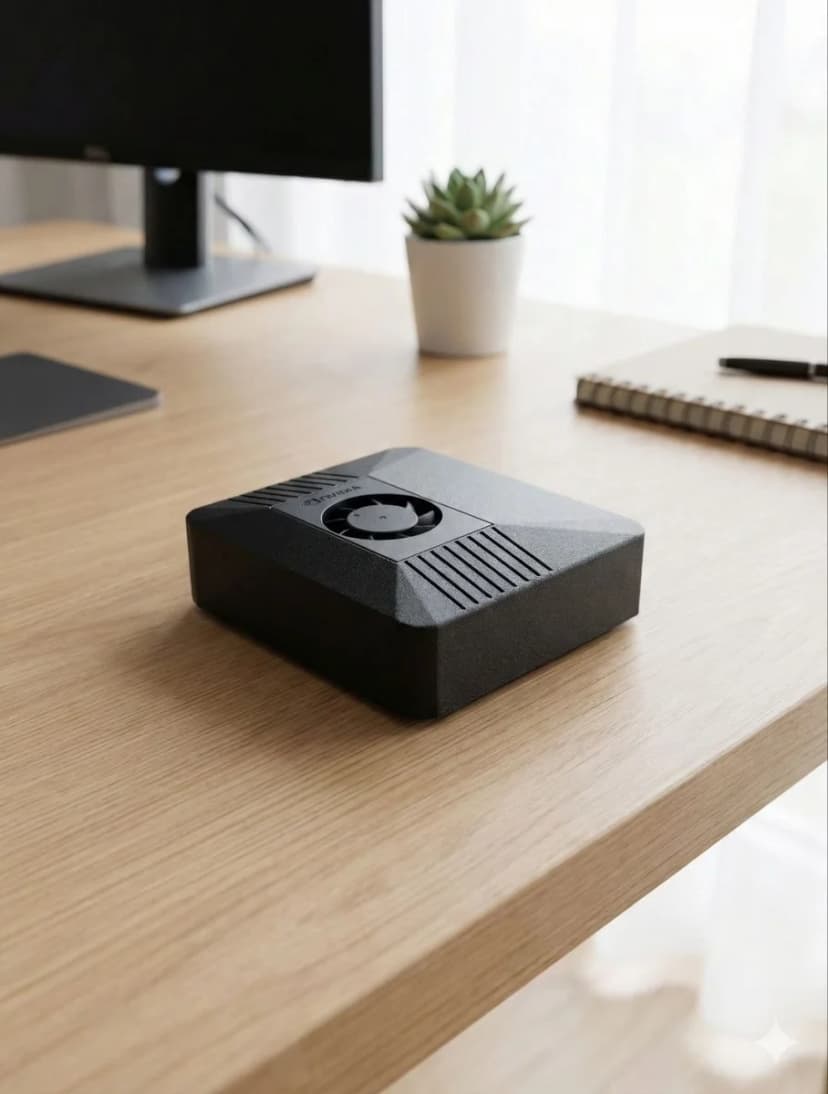
GPU搭載ホームサーバーでAIを動かすと、200〜500Wの消費電力、ファン騒音、週末がかかるセットアップが必要です。ClawBoxは15Wのほぼ無音、事前設定済みの専用AI処理を提供します。
機能別比較
各オプションが優れている点、そしてClawBoxの差別化ポイントをご覧ください。
| 機能 | 🦞 ClawBox | 🖥️ Home Server + GPU |
|---|---|---|
| 総コスト | ✓€549 | €800〜2,000以上 |
| 消費電力 | ✓15〜25W | 200〜500W |
| 年間電気代(24時間365日) | ✓約€13/年 | €150〜400/年 |
| 騒音レベル | ✓ほぼ無音(約15 dB) | ファン騒音あり |
| サイズ | ✓デスクに収まるサイズ | タワー型/ラック型 |
| セットアップ時間 | ✓5分 | 数時間〜数日 |
| AI性能 | 67 TOPS | ✓高性能(RTX 4090:1321 TOPS) |
| 70Bパラメーター以上のモデルをローカルで実行 | 不可(最大7〜13B) | ✓可能 |
| OpenClaw プリインストール | ✓あり | 手動セットアップ |
| 常時稼働は現実的? | ✓あり(そのために設計) | 24時間365日稼働は費用がかかる |
| WiFi + Bluetooth | ✓デュアルバンドWiFi + BT 5.0 内蔵 | ハードウェアによる |
| BYOK(クラウドモデル) | あり | あり |
スマートなアプローチ:ClawBox + クラウドモデル
BYOKを使用したClawBoxは、両方の利点を組み合わせます:インテリジェンスに強力なクラウドモデル(GPT、Claude、Gemini)を使用しながら、自動化、メモリ、データを効率的なハードウェア上でローカルに保持します。
重い処理がクラウドで行われ、エージェントの頭脳がClawBoxに存在するなら、電力消費の大きいサーバーは不要です。
どちらを選ぶべきか
- ✓ ほぼコストゼロで動く常時稼働AIが欲しい
- ✓ Linuxの知識不要のプラグアンドプレイ
- ✓ 静音でコンパクト、デスクに置けるハードウェア
- ✓ ブラウザ自動化とメッセージング機能が内蔵
- ✓ 必要に応じてBYOKでクラウドモデルを利用
- → 70Bパラメーター以上のモデルをローカルで実行する必要がある
- → トレーニング用の最大GPU性能が必要
- → 複数の同時AIワークロードが必要
- → すでにハードウェアを持っている
Frequently Asked Questions
How much power does ClawBox use compared to a DIY home server with a GPU?▼
ClawBox draws roughly 15 watts under load — about the same as a phone charger. A typical DIY home server with a discrete GPU (e.g. an RTX 3060 or 4060) idles around 60–90 watts and pulls 250–450 watts under inference load once you add the CPU, motherboard, RAM, drives, and cooling. Left running 24/7, a home server can cost €100–€250+ per year in electricity, while ClawBox runs all-in for under €15 per year.
Is ClawBox quieter than a home server?▼
Yes, by a wide margin. ClawBox is passively or near-silently cooled and produces effectively no audible noise, so it can sit on a desk or shelf in a bedroom or living room. A DIY server with a gaming GPU spins up case fans and a GPU blower under load, typically 35–50 dB, which is noticeable in a quiet room and often pushes people to relegate the machine to a basement, closet, or garage.
How long does it take to set up ClawBox versus building a home server?▼
ClawBox arrives pre-assembled with the OS, GPU drivers, Ollama, OpenClaw, and local AI models already installed and configured — you plug it in, connect to Wi-Fi, and start using it in a few minutes. Building a comparable DIY home server means sourcing and assembling parts, installing Linux, wrestling with NVIDIA/CUDA driver versions, configuring an inference runtime, and downloading models. Realistically that is a full weekend (8–15+ hours) of work, and ongoing maintenance when drivers or packages update.
Does a DIY home server end up cheaper than ClawBox?▼
Rarely, once you account for everything. ClawBox is €549 one-time with no recurring software cost. A DIY build that can run small LLMs locally usually lands at €600–€1,200+ for a GPU, CPU, motherboard, RAM, PSU, storage, and case — before electricity. Add €100–€250/year in power for 24/7 operation and the gap widens every year. The home server only wins on raw cost if you already own spare high-end parts and don't value your setup time.
When does a DIY home server with a GPU actually make more sense than ClawBox?▼
A home server is the better choice if you need to run large 70B-parameter models, want maximum raw inference speed, plan to also use the machine for gaming, virtualization, NAS, or heavy multi-service workloads, and you enjoy building and maintaining hardware. ClawBox is the better choice if you want a silent, low-power, pre-configured private AI appliance that runs 24/7 in a living space without the cost, noise, heat, and ongoing maintenance of a full server.
切り替える準備はできましたか?
比較をやめて、構築を始めましょう。ClawBoxはプラグアンドプレイのAIハードウェア——5分で準備完了。
✓ Stripeによる安全な決済