専用AI vs DIY
AIワークロードにおけるClawBox vs Raspberry Pi 5
Piは優れた汎用ボードです。しかしローカル推論による常時稼働AIでは、ClawBoxが33倍のAI演算能力を提供 — 専用設計であり、継ぎ接ぎではありません。
性能差
AI演算能力はTOPS(Trillion Operations Per Second)で測定
ClawBox — Llama 3.1 8B
~5 tok/s
実用的な会話速度
Raspberry Pi 5 — Llama 3.1 8B
~0.5 tok/s
耐えられないほど遅い(CPUのみ)
DIYの隠れたコスト
Piは「€80」ですが、それはボードだけの価格です…
🍓 Raspberry Pi 5 購入リスト
それでもCUDAなし、GPUアクセラレーションなし、プラスチックケース
🦞 ClawBox — すべて込み
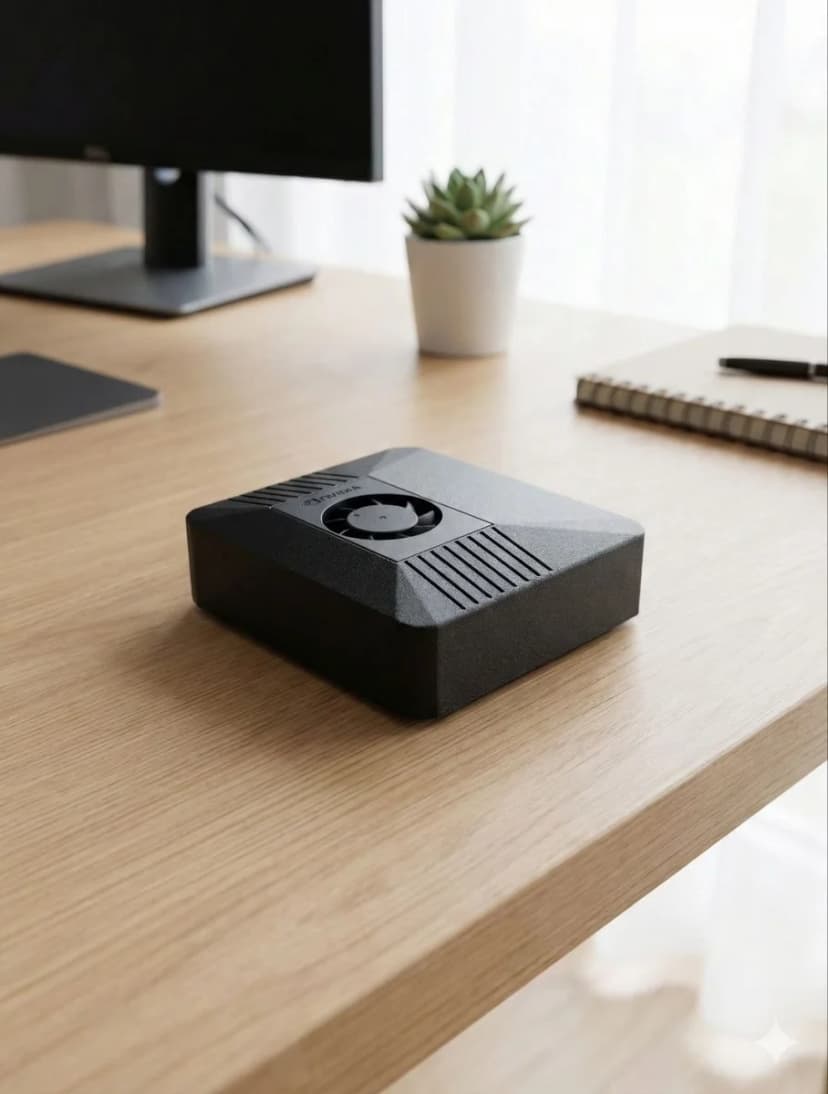
カーボンカラー・NVIDIA CUDA・5分で使用開始
詳細比較
| Feature |  ClawBox ClawBox | 🍓 RPi 5 |
|---|---|---|
| 🧠AIパフォーマンス | ✓67 TOPS | 約2 TOPS(CPUのみ) |
| 🎮GPU | ✓1024コア NVIDIA Ampere | VideoCore VII(CUDAなし) |
| 💾メモリ | ✓8GB LPDDR5(統合メモリ) | 8GB LPDDR4X |
| 📀ストレージ | ✓512GB NVMe SSD 付属 | microSD(別途購入) |
| 🤖7B LLMの実行 | ✓約5トークン/秒 | 約0.5トークン/秒 |
| ⚙️CUDAサポート | ✓完全なCUDAツールキット | なし |
| ⚡消費電力 | 15〜25W | ✓5〜12W |
| 💰合計価格 | €549(フルセット) | ✓約€150以上(ボード+周辺機器) |
| 📦設定済み | ✓はい、すぐに使えます | 手動セットアップが必要 |
| 💬メッセージング | ✓Telegram · WhatsApp · Discord | 手動設定 |
| 🌐ブラウザ自動化 | ✓フルスピード | 低速/制限あり |
| 🎙️デバイス上の音声パイプライン | ✓テンソルコアで動くWhisper STT+Kokoro TTS | リアルタイム処理には遅すぎる |
| 📡接続性 | ✓デュアルバンドWiFi+Bluetooth 5.0 | WiFi+BT(一部はHATが必要) |
| 🏗️ケース | ✓カーボンカラー付属 | 別途購入(プラスチック) |
ClawBoxを選ぶ
専用AI プロフェッショナル
- ✓ 24時間365日稼働する専用AIアシスタントが欲しい
- ✓ ローカルLLM推論が必要(プライバシー優先)
- ✓ 長時間の設定作業ではなく、すぐに使いたい
- ✓ ML/AIワークロードにCUDAが必要
- ✓ CPU推論ではなく、本物のGPUアクセラレーションによるAIが欲しい
Raspberry Piを選ぶ
汎用サーバー
- ✓ 予算が最優先事項
- ✓ クラウドベースのAI(APIコール)だけで十分
- ✓ 汎用サーバーが欲しい(Pi-hole・Home Assistantなど)
- ✓ 消費電力をできる限り抑えたい
Compare Raspberry Pi against the full OpenClaw hardware field
Raspberry Pi is only one end of the spectrum. For the full picture, including ClawBox, Mac Mini, cloud VPS setups, and what counts as the best OpenClaw hardware for different budgets, continue to the main hardware guide.
See the best hardware for OpenClawFrequently Asked Questions
How much faster is ClawBox than a Raspberry Pi 5 for local AI?▼
ClawBox is built on the NVIDIA Jetson Orin Nano Super, which delivers about 67 TOPS of AI compute from a 1024-core Ampere GPU. The Raspberry Pi 5 has no AI accelerator and manages roughly 2 TOPS on its CPU — so ClawBox has about 33× more AI compute. In practice, running Llama 3.1 8B, ClawBox produces around 5 tokens/sec versus roughly 0.5 tokens/sec on a Pi 5, which is the difference between a usable assistant and an unusably slow one.
What AI models can a Raspberry Pi 5 run, and what can ClawBox run?▼
A Raspberry Pi 5 can technically load small quantized models (1B–3B parameters like Gemma 2B or Phi-3 Mini) but only at painfully slow speeds, and 7B–8B models are effectively impractical. ClawBox runs Llama 3.1 8B, Mistral 7B, Phi-3, and Gemma at usable speeds on its GPU, plus Whisper Large v3 for speech-to-text and Kokoro TTS for voice — all on-device with CUDA acceleration.
Does the Raspberry Pi 5 have CUDA or GPU acceleration for AI?▼
No. The Raspberry Pi 5 uses a VideoCore VII GPU that is designed for display and basic graphics, not AI inference, and it does not support CUDA. That means most AI frameworks fall back to CPU-only inference on a Pi. ClawBox's NVIDIA Jetson GPU supports CUDA, so Ollama and other tooling can offload model inference to 1024 GPU cores for dramatically faster, more efficient results.
What is the real total cost of a Raspberry Pi 5 AI build vs ClawBox?▼
A Raspberry Pi 5 AI setup is not just the €80 board. By the time you add an NVMe drive (~€35), a case (~€15), a power supply (~€12), and an SD card (~€8) you are around €150 — plus 3–5 hours of assembly, flashing, and configuration, and you still end up with only ~2 TOPS of CPU compute. ClawBox is €549 fully assembled and pre-configured with the GPU, models, and software ready to use out of the box.
When does a Raspberry Pi 5 make more sense than ClawBox?▼
The Raspberry Pi 5 is the better choice when AI is not the goal: lightweight tinkering, GPIO/electronics projects, retro gaming, a low-power home server, or learning Linux on a tight budget. Its low price and minimal power draw are genuine advantages. But if you specifically want to run a capable local AI assistant — chat, coding help, voice, and browser automation at usable speeds — the Pi's ~2 TOPS simply cannot keep up, and ClawBox's 67 TOPS GPU is the right tool.
切り替える準備はできましたか?
比較をやめて、構築を始めましょう。ClawBoxはプラグアンドプレイのAIハードウェア——5分で準備完了。
✓ Stripeによる安全な決済