IA dedicada versus bricolaje
ClawBox frente a Raspberry Pi 5 para cargas de trabajo de IA
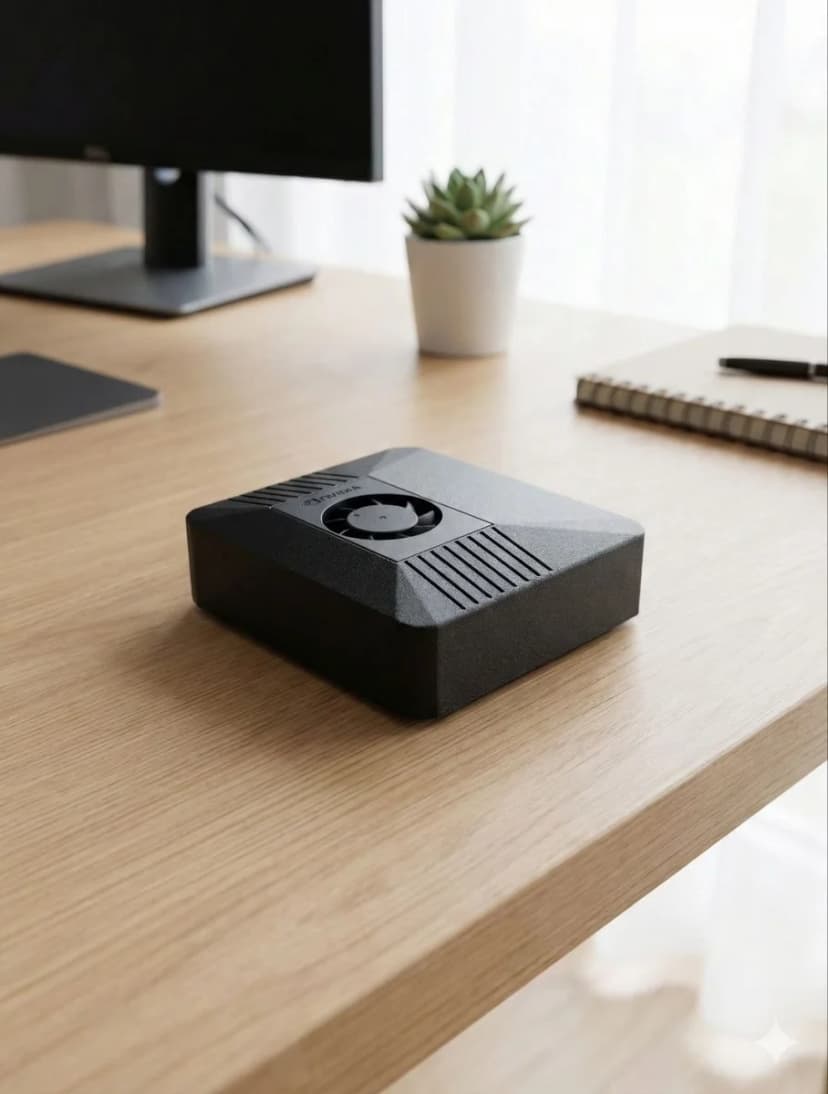
La Pi es una gran placa de uso general. Pero para una IA siempre activa con inferencia local, ClawBox ofrece 33 veces más computación de IA, diseñada específicamente, no improvisada.
La brecha de desempeño
Computación de IA medida en TOPS (billones de operaciones por segundo)
ClawBox — Llama 3.1 8B
~5 tok/s
Velocidad de conversación utilizable
Raspberry Pi 5 — Llama 3.1 8B
~0.5 tok/s
Dolorosamente lento (solo CPU)
El costo oculto del bricolaje
El Pi "cuesta 80€" pero eso es sólo la placa...
🍓 Raspberry Pi 5 Lista de compras
Aún no hay CUDA, no hay aceleración de GPU, caja de plástico
🦞 ClawBox — Todo Incluido
Color carbón, NVIDIA CUDA, lista en 5 minutos
Comparación completa
| Feature |  ClawBox ClawBox | 🍓 RPi 5 |
|---|---|---|
| 🧠Rendimiento de la IA | ✓67 TOPS | ~2 TOPS (solo CPU) |
| 🎮GPU | ✓1024 núcleos NVIDIA Ampere | VideoCore VII (nº CUDA) |
| 💾Memoria | ✓8GB LPDDR5 (unificado) | 8GB LPDDR4X |
| 📀Almacenamiento | ✓512GB NVMe SSD incluido | microSD (comprar por separado) |
| 🤖Ejecutar 7B LLM | ✓~5 fichas/seg | ~0,5 fichas/seg |
| ⚙️CUDA Soporte | ✓Kit de herramientas completo CUDA | Ninguno |
| ⚡Consumo de energía | 15-25W | ✓5-12W |
| 💰Precio Total | 549€ (completo) | ✓~150€+ (pensión + extras) |
| 📦Preconfigurado | ✓Sí, fuera de la caja | Se requiere configuración manual |
| 💬Mensajería | ✓Telegram · WhatsApp · Discord | Configuración manual |
| 🌐Automatización del navegador | ✓A toda velocidad | Lento / limitado |
| 🎙️Canal de voz en el dispositivo | ✓Whisper STT + Kokoro TTS en núcleos tensoriales | Demasiado lento para tiempo real |
| 📡Conectividad | ✓Doble banda WiFi + Bluetooth 5.0 | WiFi + BT (necesita sombrero para algunos) |
| 🏗️Caso | ✓Color carbón incluida | Comprar por separado (plástico) |
Elija ClawBox
Profesional dedicado a la IA
- ✓ Quieres un asistente de IA dedicado que funcione las 24 horas, los 7 días de la semana
- ✓ Necesita inferencia LLM local (privacidad primero)
- ✓ Quieres plug-and-play, no horas de configuración
- ✓ Necesita CUDA para cargas de trabajo de ML/AI
- ✓ Quieres IA real acelerada por GPU, no inferencia de CPU
Elija Raspberry Pi
Servidor de uso general
- ✓ El presupuesto es la máxima prioridad
- ✓ Solo necesitas IA basada en la nube (llamadas API)
- ✓ Quieres un servidor general (Pi-hole, Home Assistant)
- ✓ El consumo de energía más bajo posible es lo más importante
Compare Raspberry Pi against the full OpenClaw hardware field
Raspberry Pi is only one end of the spectrum. For the full picture, including ClawBox, Mac Mini, cloud VPS setups, and what counts as the best OpenClaw hardware for different budgets, continue to the main hardware guide.
See the best hardware for OpenClawFrequently Asked Questions
How much faster is ClawBox than a Raspberry Pi 5 for local AI?▼
ClawBox is built on the NVIDIA Jetson Orin Nano Super, which delivers about 67 TOPS of AI compute from a 1024-core Ampere GPU. The Raspberry Pi 5 has no AI accelerator and manages roughly 2 TOPS on its CPU — so ClawBox has about 33× more AI compute. In practice, running Llama 3.1 8B, ClawBox produces around 5 tokens/sec versus roughly 0.5 tokens/sec on a Pi 5, which is the difference between a usable assistant and an unusably slow one.
What AI models can a Raspberry Pi 5 run, and what can ClawBox run?▼
A Raspberry Pi 5 can technically load small quantized models (1B–3B parameters like Gemma 2B or Phi-3 Mini) but only at painfully slow speeds, and 7B–8B models are effectively impractical. ClawBox runs Llama 3.1 8B, Mistral 7B, Phi-3, and Gemma at usable speeds on its GPU, plus Whisper Large v3 for speech-to-text and Kokoro TTS for voice — all on-device with CUDA acceleration.
Does the Raspberry Pi 5 have CUDA or GPU acceleration for AI?▼
No. The Raspberry Pi 5 uses a VideoCore VII GPU that is designed for display and basic graphics, not AI inference, and it does not support CUDA. That means most AI frameworks fall back to CPU-only inference on a Pi. ClawBox's NVIDIA Jetson GPU supports CUDA, so Ollama and other tooling can offload model inference to 1024 GPU cores for dramatically faster, more efficient results.
What is the real total cost of a Raspberry Pi 5 AI build vs ClawBox?▼
A Raspberry Pi 5 AI setup is not just the €80 board. By the time you add an NVMe drive (~€35), a case (~€15), a power supply (~€12), and an SD card (~€8) you are around €150 — plus 3–5 hours of assembly, flashing, and configuration, and you still end up with only ~2 TOPS of CPU compute. ClawBox is €549 fully assembled and pre-configured with the GPU, models, and software ready to use out of the box.
When does a Raspberry Pi 5 make more sense than ClawBox?▼
The Raspberry Pi 5 is the better choice when AI is not the goal: lightweight tinkering, GPIO/electronics projects, retro gaming, a low-power home server, or learning Linux on a tight budget. Its low price and minimal power draw are genuine advantages. But if you specifically want to run a capable local AI assistant — chat, coding help, voice, and browser automation at usable speeds — the Pi's ~2 TOPS simply cannot keep up, and ClawBox's 67 TOPS GPU is the right tool.
¿Listo para cambiar?
Deja de comparar, empieza a construir. ClawBox es hardware de IA plug-and-play, listo en 5 minutos.
✓ Pago seguro vía Stripe