Dedizierte KI vs DIY
ClawBox vs Raspberry Pi 5 für KI-Workloads
Der Pi ist ein großartiges Allzweck-Board. Aber für Always-On KI mit lokaler Inferenz liefert ClawBox 33x mehr KI-Compute — zweckgebaut, nicht zusammengebastelt.
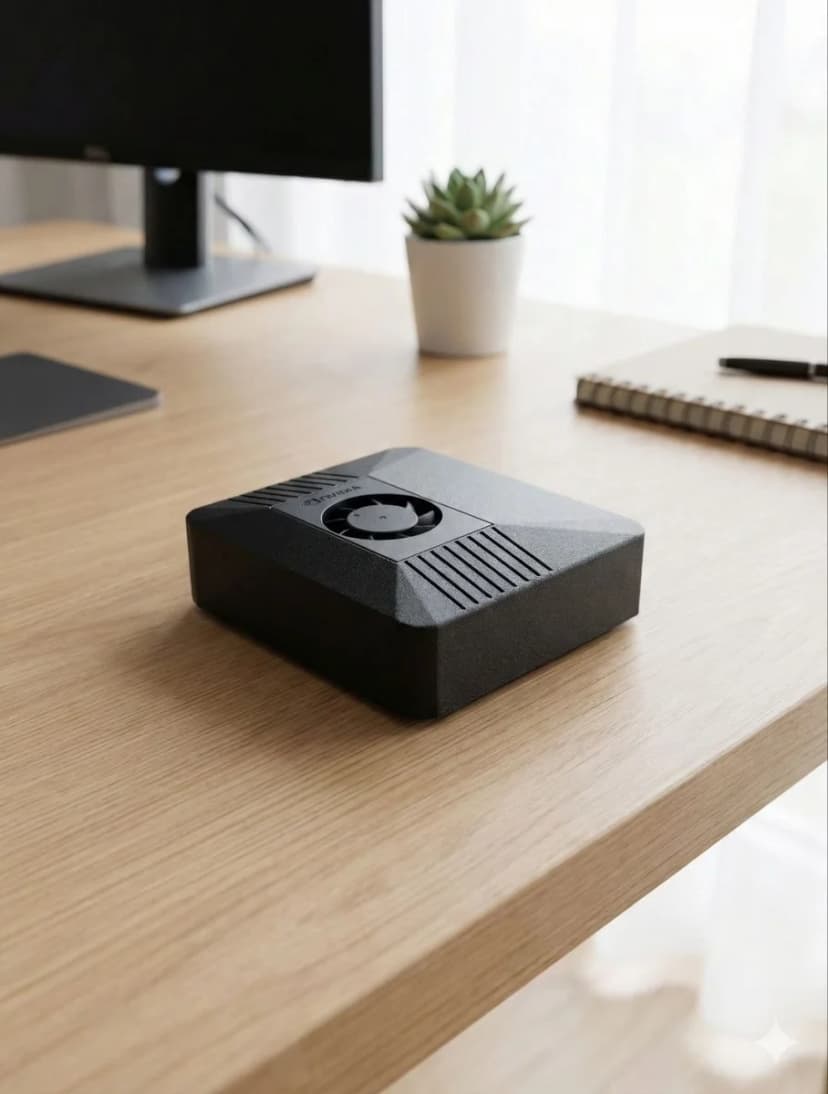
Der Leistungsunterschied
KI-Compute gemessen in TOPS (Billionen Operationen Pro Sekunde)
ClawBox — Llama 3.1 8B
~5 tok/s
Nutzbare Konversationsgeschwindigkeit
Raspberry Pi 5 — Llama 3.1 8B
~0.5 tok/s
Schmerzhaft langsam (nur CPU)
Die Versteckten Kosten von DIY
Der Pi "kostet €80" aber das ist nur das Board...
🍓 Raspberry Pi 5 Einkaufsliste
Immer noch kein CUDA, keine GPU-Beschleunigung, Plastikgehäuse
🦞 ClawBox — Alles Inklusive
Carbon-Farbe, NVIDIA CUDA, in 5 Minuten bereit
Vollständiger Vergleich
| Feature |  ClawBox ClawBox | 🍓 RPi 5 |
|---|---|---|
| 🧠KI-Leistung | ✓67 TOPS | ~2 TOPS (nur CPU) |
| 🎮GPU | ✓1024-Kern NVIDIA Ampere | VideoCore VII (kein CUDA) |
| 💾Arbeitsspeicher | ✓8GB LPDDR5 (unified) | 8GB LPDDR4X |
| 📀Speicher | ✓512GB NVMe SSD inklusive | microSD (separat kaufen) |
| 🤖7B LLM Ausführen | ✓~5 Token/s | ~0,5 Token/s |
| ⚙️CUDA-Support | ✓Volles CUDA Toolkit | Keiner |
| ⚡Stromverbrauch | 15-25W | ✓5-12W |
| 💰Gesamtpreis | €549 (komplett) | ✓~€150+ (Board + Extras) |
| 📦Vorkonfiguriert | ✓Ja, sofort einsatzbereit | Manuelles Setup erforderlich |
| 💬Messaging | ✓Telegram · WhatsApp · Discord | Manuelles Setup |
| 🌐Browser-Automatisierung | ✓Volle Geschwindigkeit | Langsam / begrenzt |
| 🎙️On-Device Voice Pipeline | ✓Whisper STT + Kokoro TTS auf Tensor-Kernen | Zu langsam für Echtzeit |
| 📡Konnektivität | ✓Dual-band WiFi + Bluetooth 5.0 | WiFi + BT (braucht HAT für manches) |
| 🏗️Gehäuse | ✓Carbon-Farbe inklusive | Separat kaufen (Plastik) |
Wählen Sie ClawBox
Dedizierter KI-Profi
- ✓ Sie wollen einen dedizierten KI-Assistenten der 24/7 läuft
- ✓ Sie brauchen lokale LLM-Inferenz (Privacy-First)
- ✓ Sie wollen Plug-and-Play, nicht stundenlange Konfiguration
- ✓ Sie brauchen CUDA für ML/KI-Workloads
- ✓ Sie wollen echte GPU-beschleunigte KI, nicht CPU-Inferenz
Wählen Sie Raspberry Pi
Allzweck-Server
- ✓ Budget ist die oberste Priorität
- ✓ Sie brauchen nur Cloud-basierte KI (API-Aufrufe)
- ✓ Sie wollen einen Allgemeinserver (Pi-hole, Home Assistant)
- ✓ Niedrigster möglicher Stromverbrauch ist am wichtigsten
Compare Raspberry Pi against the full OpenClaw hardware field
Raspberry Pi is only one end of the spectrum. For the full picture, including ClawBox, Mac Mini, cloud VPS setups, and what counts as the best OpenClaw hardware for different budgets, continue to the main hardware guide.
See the best hardware for OpenClawFrequently Asked Questions
How much faster is ClawBox than a Raspberry Pi 5 for local AI?▼
ClawBox is built on the NVIDIA Jetson Orin Nano Super, which delivers about 67 TOPS of AI compute from a 1024-core Ampere GPU. The Raspberry Pi 5 has no AI accelerator and manages roughly 2 TOPS on its CPU — so ClawBox has about 33× more AI compute. In practice, running Llama 3.1 8B, ClawBox produces around 5 tokens/sec versus roughly 0.5 tokens/sec on a Pi 5, which is the difference between a usable assistant and an unusably slow one.
What AI models can a Raspberry Pi 5 run, and what can ClawBox run?▼
A Raspberry Pi 5 can technically load small quantized models (1B–3B parameters like Gemma 2B or Phi-3 Mini) but only at painfully slow speeds, and 7B–8B models are effectively impractical. ClawBox runs Llama 3.1 8B, Mistral 7B, Phi-3, and Gemma at usable speeds on its GPU, plus Whisper Large v3 for speech-to-text and Kokoro TTS for voice — all on-device with CUDA acceleration.
Does the Raspberry Pi 5 have CUDA or GPU acceleration for AI?▼
No. The Raspberry Pi 5 uses a VideoCore VII GPU that is designed for display and basic graphics, not AI inference, and it does not support CUDA. That means most AI frameworks fall back to CPU-only inference on a Pi. ClawBox's NVIDIA Jetson GPU supports CUDA, so Ollama and other tooling can offload model inference to 1024 GPU cores for dramatically faster, more efficient results.
What is the real total cost of a Raspberry Pi 5 AI build vs ClawBox?▼
A Raspberry Pi 5 AI setup is not just the €80 board. By the time you add an NVMe drive (~€35), a case (~€15), a power supply (~€12), and an SD card (~€8) you are around €150 — plus 3–5 hours of assembly, flashing, and configuration, and you still end up with only ~2 TOPS of CPU compute. ClawBox is €549 fully assembled and pre-configured with the GPU, models, and software ready to use out of the box.
When does a Raspberry Pi 5 make more sense than ClawBox?▼
The Raspberry Pi 5 is the better choice when AI is not the goal: lightweight tinkering, GPIO/electronics projects, retro gaming, a low-power home server, or learning Linux on a tight budget. Its low price and minimal power draw are genuine advantages. But if you specifically want to run a capable local AI assistant — chat, coding help, voice, and browser automation at usable speeds — the Pi's ~2 TOPS simply cannot keep up, and ClawBox's 67 TOPS GPU is the right tool.
Bereit zum Wechseln?
Schluss mit Vergleichen, fangen Sie an zu bauen. ClawBox ist Plug-and-Play KI-Hardware — in 5 Minuten einsatzbereit.
✓ Sichere Zahlung über Stripe