IA dedicata contro fai da te
ClawBox rispetto a Raspberry Pi 5 per carichi di lavoro IA
Il Pi è un'ottima scheda per tutti gli usi. Ma per un'intelligenza artificiale sempre attiva con inferenza locale, ClawBox offre 33 volte più elaborazione IA: costruita appositamente, non truccata in modo improvvisato.
Il divario prestazionale
Calcolo dell'intelligenza artificiale misurato in TOPS (trilioni di operazioni al secondo)
ClawBox — Llama 3.1 8B
~5 tok/s
Velocità di conversazione utilizzabile
Raspberry Pi 5 — Llama 3.1 8B
~0.5 tok/s
Dolorosamente lento (solo CPU)
Il costo nascosto del fai da te
Il Pi "costa 80€" ma quella è solo la scheda...
🍓 Raspberry Pi 5 Lista della spesa
Ancora niente CUDA, nessuna accelerazione GPU, case in plastica
🦞 ClawBox — Tutto incluso
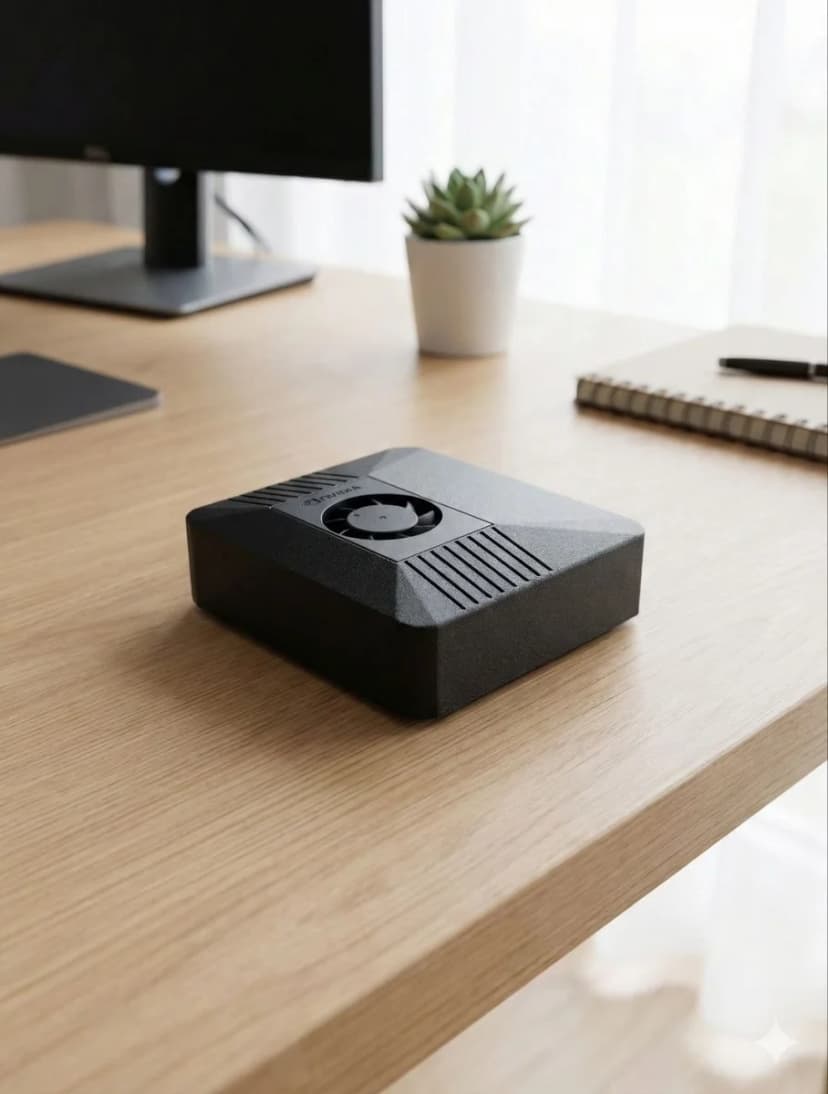
Color carbone, NVIDIA CUDA, pronto in 5 minuti
Confronto completo
| Feature |  ClawBox ClawBox | 🍓 RPi 5 |
|---|---|---|
| 🧠Prestazioni dell'IA | ✓67 TOPS | ~2 TOPS (solo CPU) |
| 🎮GPU | ✓1024-core NVIDIA Ampere | VideoCore VII (no CUDA) |
| 💾Memoria | ✓8GB LPDDR5 (unificato) | LPDDR4X da 8 GB |
| 📀Archiviazione | ✓512 GB NVMe SSD incluso | microSD (acquistabile separatamente) |
| 🤖Esegui 7B LLM | ✓~5 gettoni/sec | ~0,5 gettoni/sec |
| ⚙️CUDA Supporto | ✓Kit completo di strumenti CUDA | Nessuno |
| ⚡Assorbimento di potenza | 15-25W | ✓5-12W |
| 💰Prezzo totale | € 549 (completo) | ✓~€150+ (vitto + extra) |
| 📦Preconfigurato | ✓Sì, fuori dagli schemi | È richiesta la configurazione manuale |
| 💬Messaggistica | ✓Telegram · WhatsApp · Discord | Configurazione manuale |
| 🌐Automazione del browser | ✓A tutta velocità | Lento/limitato |
| 🎙️Pipeline vocale sul dispositivo | ✓Whisper STT + Kokoro TTS su nuclei tensoriali | Troppo lento per il tempo reale |
| 📡Connettività | ✓Dualband WiFi + Bluetooth 5.0 | WiFi + BT (per alcuni serve il cappello) |
| 🏗️Caso | ✓Color carbone inclusa | Acquistare separatamente (plastica) |
Scegli ClawBox
Professionista dedicato dell'intelligenza artificiale
- ✓ Desideri un assistente AI dedicato attivo 24 ore su 24, 7 giorni su 7
- ✓ È necessaria l'inferenza LLM locale (privacy-first)
- ✓ Vuoi il plug-and-play, non ore di configurazione
- ✓ Hai bisogno di CUDA per i carichi di lavoro ML/AI
- ✓ Vuoi una vera intelligenza artificiale accelerata dalla GPU, non l'inferenza della CPU
Scegli Raspberry Pi
Server per scopi generici
- ✓ Il budget è la massima priorità
- ✓ Hai solo bisogno di un'intelligenza artificiale basata su cloud (chiamate API)
- ✓ Vuoi un server generale (Pi-hole, Home Assistant)
- ✓ Il consumo energetico più basso possibile è quello che conta di più
Compare Raspberry Pi against the full OpenClaw hardware field
Raspberry Pi is only one end of the spectrum. For the full picture, including ClawBox, Mac Mini, cloud VPS setups, and what counts as the best OpenClaw hardware for different budgets, continue to the main hardware guide.
See the best hardware for OpenClawFrequently Asked Questions
How much faster is ClawBox than a Raspberry Pi 5 for local AI?▼
ClawBox is built on the NVIDIA Jetson Orin Nano Super, which delivers about 67 TOPS of AI compute from a 1024-core Ampere GPU. The Raspberry Pi 5 has no AI accelerator and manages roughly 2 TOPS on its CPU — so ClawBox has about 33× more AI compute. In practice, running Llama 3.1 8B, ClawBox produces around 5 tokens/sec versus roughly 0.5 tokens/sec on a Pi 5, which is the difference between a usable assistant and an unusably slow one.
What AI models can a Raspberry Pi 5 run, and what can ClawBox run?▼
A Raspberry Pi 5 can technically load small quantized models (1B–3B parameters like Gemma 2B or Phi-3 Mini) but only at painfully slow speeds, and 7B–8B models are effectively impractical. ClawBox runs Llama 3.1 8B, Mistral 7B, Phi-3, and Gemma at usable speeds on its GPU, plus Whisper Large v3 for speech-to-text and Kokoro TTS for voice — all on-device with CUDA acceleration.
Does the Raspberry Pi 5 have CUDA or GPU acceleration for AI?▼
No. The Raspberry Pi 5 uses a VideoCore VII GPU that is designed for display and basic graphics, not AI inference, and it does not support CUDA. That means most AI frameworks fall back to CPU-only inference on a Pi. ClawBox's NVIDIA Jetson GPU supports CUDA, so Ollama and other tooling can offload model inference to 1024 GPU cores for dramatically faster, more efficient results.
What is the real total cost of a Raspberry Pi 5 AI build vs ClawBox?▼
A Raspberry Pi 5 AI setup is not just the €80 board. By the time you add an NVMe drive (~€35), a case (~€15), a power supply (~€12), and an SD card (~€8) you are around €150 — plus 3–5 hours of assembly, flashing, and configuration, and you still end up with only ~2 TOPS of CPU compute. ClawBox is €549 fully assembled and pre-configured with the GPU, models, and software ready to use out of the box.
When does a Raspberry Pi 5 make more sense than ClawBox?▼
The Raspberry Pi 5 is the better choice when AI is not the goal: lightweight tinkering, GPIO/electronics projects, retro gaming, a low-power home server, or learning Linux on a tight budget. Its low price and minimal power draw are genuine advantages. But if you specifically want to run a capable local AI assistant — chat, coding help, voice, and browser automation at usable speeds — the Pi's ~2 TOPS simply cannot keep up, and ClawBox's 67 TOPS GPU is the right tool.
Pronto a cambiare?
Smetti di confrontare, inizia a costruire. ClawBox è hardware IA plug-and-play — pronto in 5 minuti.
✓ Pagamento sicuro tramite Stripe