Специализиран AI срещу самостоятелна сглобка
ClawBox срещу Raspberry Pi 5 за AI натоварвания
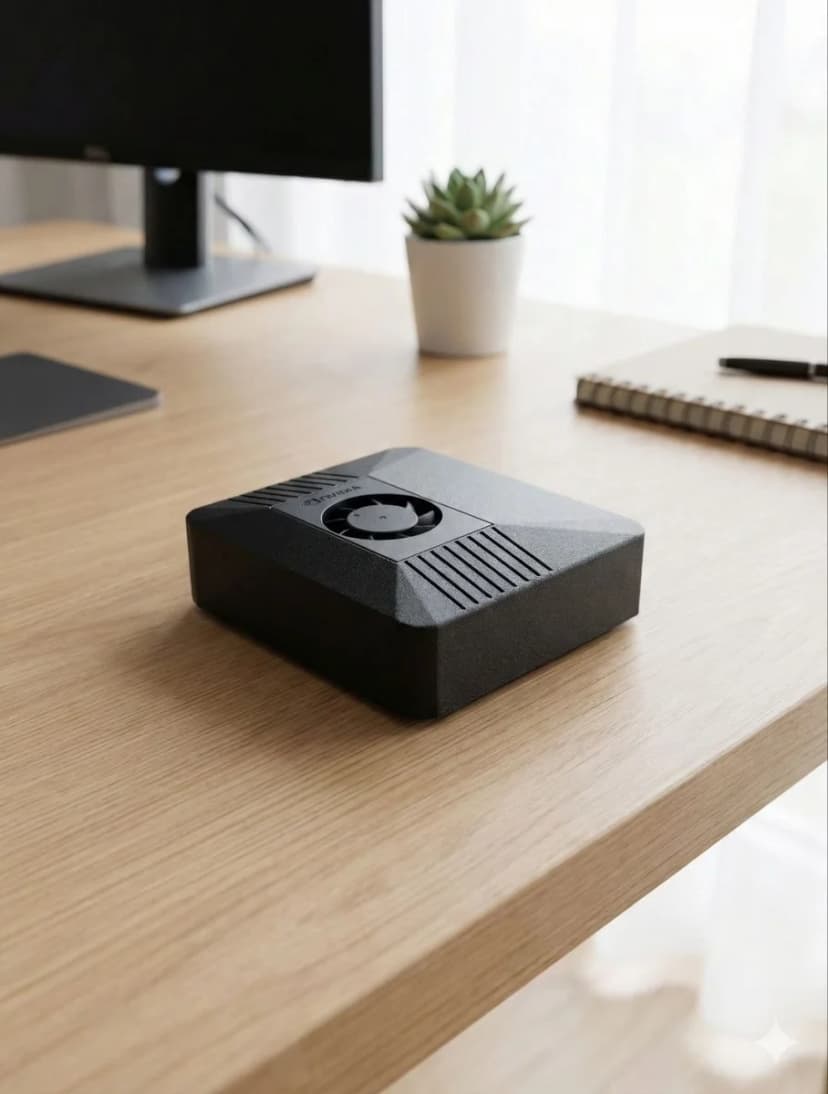
Pi е страхотна платка с общо предназначение. Но за AI с непрекъснато действие и локален inference, ClawBox осигурява 33 пъти повече AI изчислителна мощ — създаден специално за целта, не наглоден с тиксо.
Разликата в производителността
AI изчисленията се измерват в TOPS (трилиона операции в секунда)
ClawBox — Llama 3.1 8B
~5 tok/s
Използваема скорост на разговор
Raspberry Pi 5 — Llama 3.1 8B
~0.5 tok/s
Мъчително бавно (само CPU)
Скритата цена на самостоятелната сглобка
Pi 'струва €80', но това е само платката...
🍓 Списък за пазаруване на Raspberry Pi 5
Все още без CUDA, без GPU ускорение, пластмасова кутия
🦞 ClawBox — всичко включено
Карбонов цвят, NVIDIA CUDA, готов за 5 минути
Пълно сравнение
| Feature |  ClawBox ClawBox | 🍓 RPi 5 |
|---|---|---|
| 🧠AI производителност | ✓67 TOPS | ~2 TOPS (само CPU) |
| 🎮GPU | ✓1024-ядрен NVIDIA Ampere | VideoCore VII (без CUDA) |
| 💾Памет | ✓8GB LPDDR5 (унифицирана) | 8GB LPDDR4X |
| 📀Съхранение | ✓512GB NVMe SSD включен | microSD (купува се отделно) |
| 🤖Стартиране на 7B LLM | ✓~5 токена/сек | ~0.5 токена/сек |
| ⚙️Поддръжка на CUDA | ✓Пълен CUDA toolkit | Няма |
| ⚡Консумация на ток | 15–25W | ✓5–12W |
| 💰Обща цена | €549 (комплектен) | ✓~€150+ (платка + допълнения) |
| 📦Предварително конфигуриран | ✓Да, от кутията | Изисква ръчна настройка |
| 💬Съобщения | ✓Telegram · WhatsApp · Discord | Ръчна настройка |
| 🌐Browser автоматизация | ✓Пълна скорост | Бавна / ограничена |
| 🎙️Гласов pipeline на устройството | ✓Whisper STT + Kokoro TTS на tensor cores | Твърде бавно за реално време |
| 📡Свързаност | ✓Двулентов WiFi + Bluetooth 5.0 | WiFi + BT (за някои нужда от hat) |
| 🏗️Кутия | ✓Карбонов цвят включено | Купува се отделно (пластмаса) |
Изберете ClawBox
Специализиран AI помощник
- ✓ Искате специализиран AI асистент, работещ 24/7
- ✓ Нуждаете се от локален LLM inference (privacy на първо място)
- ✓ Искате plug-and-play, не часове конфигурация
- ✓ Нуждаете се от CUDA за ML/AI натоварвания
- ✓ Искате истински GPU-ускорен AI, не CPU inference
Изберете Raspberry Pi
Сървър с общо предназначение
- ✓ Бюджетът е основният приоритет
- ✓ Нуждаете се само от AI в облака (API повиквания)
- ✓ Искате общ сървър (Pi-hole, Home Assistant)
- ✓ Минималната консумация на ток е от значение
Compare Raspberry Pi against the full OpenClaw hardware field
Raspberry Pi is only one end of the spectrum. For the full picture, including ClawBox, Mac Mini, cloud VPS setups, and what counts as the best OpenClaw hardware for different budgets, continue to the main hardware guide.
See the best hardware for OpenClawFrequently Asked Questions
How much faster is ClawBox than a Raspberry Pi 5 for local AI?▼
ClawBox is built on the NVIDIA Jetson Orin Nano Super, which delivers about 67 TOPS of AI compute from a 1024-core Ampere GPU. The Raspberry Pi 5 has no AI accelerator and manages roughly 2 TOPS on its CPU — so ClawBox has about 33× more AI compute. In practice, running Llama 3.1 8B, ClawBox produces around 5 tokens/sec versus roughly 0.5 tokens/sec on a Pi 5, which is the difference between a usable assistant and an unusably slow one.
What AI models can a Raspberry Pi 5 run, and what can ClawBox run?▼
A Raspberry Pi 5 can technically load small quantized models (1B–3B parameters like Gemma 2B or Phi-3 Mini) but only at painfully slow speeds, and 7B–8B models are effectively impractical. ClawBox runs Llama 3.1 8B, Mistral 7B, Phi-3, and Gemma at usable speeds on its GPU, plus Whisper Large v3 for speech-to-text and Kokoro TTS for voice — all on-device with CUDA acceleration.
Does the Raspberry Pi 5 have CUDA or GPU acceleration for AI?▼
No. The Raspberry Pi 5 uses a VideoCore VII GPU that is designed for display and basic graphics, not AI inference, and it does not support CUDA. That means most AI frameworks fall back to CPU-only inference on a Pi. ClawBox's NVIDIA Jetson GPU supports CUDA, so Ollama and other tooling can offload model inference to 1024 GPU cores for dramatically faster, more efficient results.
What is the real total cost of a Raspberry Pi 5 AI build vs ClawBox?▼
A Raspberry Pi 5 AI setup is not just the €80 board. By the time you add an NVMe drive (~€35), a case (~€15), a power supply (~€12), and an SD card (~€8) you are around €150 — plus 3–5 hours of assembly, flashing, and configuration, and you still end up with only ~2 TOPS of CPU compute. ClawBox is €549 fully assembled and pre-configured with the GPU, models, and software ready to use out of the box.
When does a Raspberry Pi 5 make more sense than ClawBox?▼
The Raspberry Pi 5 is the better choice when AI is not the goal: lightweight tinkering, GPIO/electronics projects, retro gaming, a low-power home server, or learning Linux on a tight budget. Its low price and minimal power draw are genuine advantages. But if you specifically want to run a capable local AI assistant — chat, coding help, voice, and browser automation at usable speeds — the Pi's ~2 TOPS simply cannot keep up, and ClawBox's 67 TOPS GPU is the right tool.
Готови ли сте да Преминете?
Спрете да сравнявате, започнете да строите. ClawBox е plug-and-play AI хардуер — готов за 5 минути.
✓ Сигурно плащане чрез Stripe